


Mastering the Chroma Key Background Green Screen: Your 2025 Guide
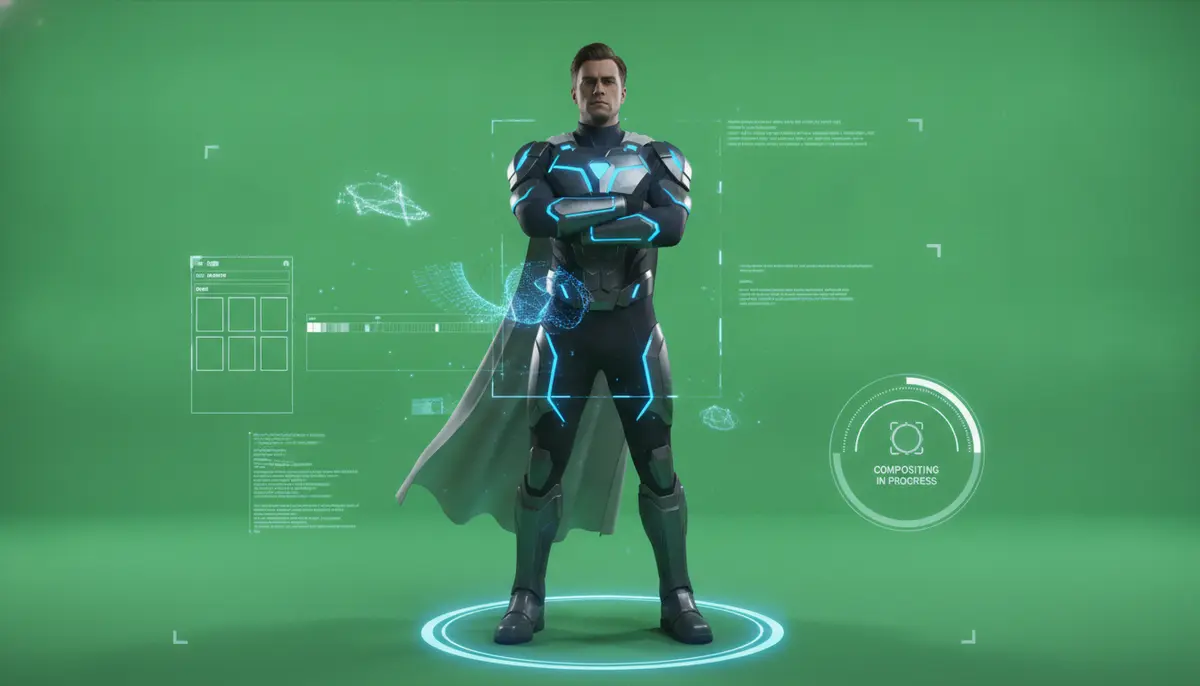
In 2025, the power of visual storytelling is more important than ever. Whether you are a filmmaker, streamer, educator, or content creator, mastering the art of the chroma key background green screen is a game-changer. This essential technique allows you to transport your subjects anywhere imaginable, from bustling cityscapes to serene alien planets, all from the comfort of your studio. Understanding how to effectively use a chroma key background green screen opens up a world of creative possibilities. It helps you produce high-quality, engaging content that truly stands out in a crowded digital landscape.
What Exactly is Chroma Keying?
Chroma keying, often simply called green screen or blue screen, is a visual effects technique. It composites two images or video streams together based on color hues. The technique works by removing a specific color from one image, revealing another image behind it. This process creates the illusion that the subject was filmed in the new environment. While green is the most common choice today, chroma keying can be done with backgrounds of any uniform and distinct color. However, green and blue backgrounds are more commonly used because they contrast well with human skin tones and are less likely to be found in clothing or props. For a deeper dive into the history and technical aspects, you can explore this comprehensive overview of chroma key technology.
The magic of chroma keying lies in its ability to separate foreground from background with precision. This separation allows you to replace the original background with virtually anything. Think about weather reporters standing in front of animated maps or superheroes flying through impossible worlds. All these effects rely on a carefully prepared chroma key background green screen. It is a fundamental tool for modern video production.
Why is Green the Go-To Color for a Chroma Key Background Green Screen?
You might wonder why green is so popular for a chroma key background green screen. The choice isn't random; it's based on science and practical considerations. Green is chosen primarily because it is the furthest color from human skin tones on the color spectrum. This strong contrast makes it easier for software to differentiate between the subject and the background. It allows for a cleaner key, meaning less chance of accidentally removing parts of your subject.
Additionally, modern digital cameras capture green information with great detail. Their sensors are often more sensitive to green light than to other colors. This sensitivity provides more data for the editing software to work with, resulting in a more accurate and seamless key. While blue screens are also used, especially when a subject might wear green clothing, green generally offers a brighter, more reflective surface. This brightness helps with even lighting, which is crucial for a successful chroma key background green screen setup.
Essential Gear for Your Chroma Key Background Green Screen Setup
Setting up an effective chroma key background green screen requires more than just a piece of green fabric. You need a combination of equipment to achieve professional results. Investing in the right tools from the start saves you time and frustration in post-production. Here's what you'll need to consider:
1. The Green Screen Itself
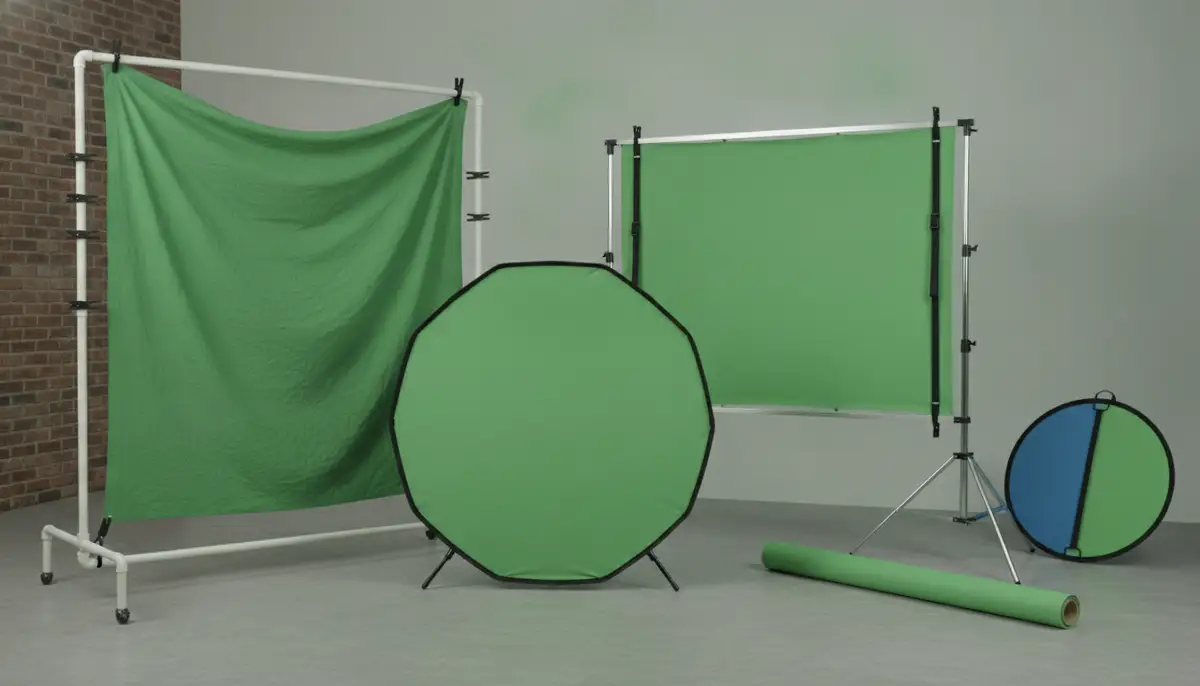
This is the core of your chroma key background green screen. You have several options:
- Fabric: Most common. Look for wrinkle-resistant, non-reflective muslin or synthetic materials. A seamless backdrop is ideal for larger productions.
- Paint: For permanent studios, painting a wall with a specific chroma key green paint provides a perfectly smooth, consistent surface. This is often the best option for a dedicated chroma key background green screen space.
- Portable Screens: Collapsible, pop-up screens are great for small spaces or on-the-go shoots. They are easy to set up and take down, making them perfect for streamers or YouTubers.
Ensure your green screen is large enough for your subject and their movements. A screen that's too small will limit your creative options and make keying much harder.
2. Lighting Equipment
Proper lighting is arguably the most critical element for a successful chroma key background green screen. You need to light the screen evenly and separately from your subject. This separation prevents shadows and hot spots that can complicate the keying process. Consider these lighting tools:
- Softbox Lights: These provide soft, diffused light, ideal for illuminating the green screen evenly. Two or more are usually needed.
- LED Panels: Versatile and energy-efficient, many offer adjustable color temperatures.
- Reflectors: Can help bounce light back onto the screen or subject, filling in shadows.
Aim for a consistent brightness across the entire chroma key background green screen. Uneven lighting creates different shades of green, which makes it difficult for software to key out uniformly.
3. Camera and Tripod
While you don't need the most expensive camera, one that can shoot high-quality video is essential. A camera that captures video with a good color depth (e.g., 4:2:2 or 4:4:4 color sampling) will yield much better results for chroma keying. A sturdy tripod is also non-negotiable. It keeps your camera steady, preventing shaky footage that can ruin a perfect key. Even minor camera movements can make post-production much more challenging when working with a chroma key background green screen.
4. Editing Software
This is where the magic happens. You'll need software with robust chroma keying capabilities. Popular choices include:
- Adobe Premiere Pro / After Effects: Industry standards with powerful keying tools like Ultra Key.
- DaVinci Resolve: Offers excellent color grading and a dedicated Fusion page for advanced VFX, including superb keying.
- OBS Studio: Free and popular for live streaming, it includes real-time chroma key filters.
- Final Cut Pro: A strong option for Apple users, with built-in chroma key effects.
There are also online tools available that simplify the process. For instance, you can easily remove green screens from video online with chroma key controls and a live preview, without needing to install complex software. This is a great option for quick edits or those new to chroma keying.
Setting Up Your Chroma Key Background Green Screen: A Step-by-Step Guide
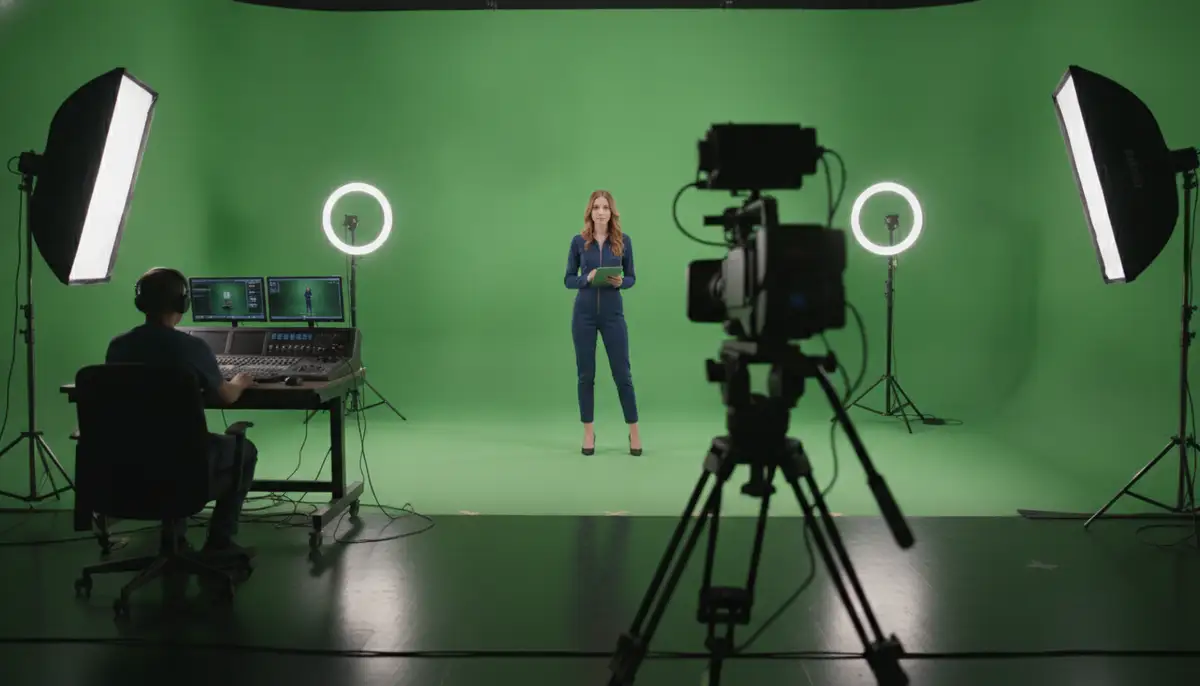
A successful chroma key begins long before you hit record. Careful setup is crucial for achieving clean, professional results. Follow these steps to prepare your chroma key background green screen:
1. Choose Your Space Wisely
Find a space large enough to accommodate your green screen, lighting, camera, and subject. You need enough distance between the subject and the chroma key background green screen. This distance helps prevent green spill (where green light reflects onto your subject) and allows you to light the screen separately. Aim for at least 6-10 feet between your subject and the background.
2. Eliminate Wrinkles and Shadows
Wrinkles cast shadows and create uneven lighting, making keying difficult. If using fabric, iron or steam it thoroughly. Stretch it taut across a frame or tape it smoothly to a wall. For painted surfaces, ensure the paint is smooth and consistent. Any imperfections on your chroma key background green screen will show up in your final video.
3. Master the Lighting Technique
This is where many beginners struggle. You need two separate lighting setups: one for the chroma key background green screen and one for your subject.
- Background Lighting: Use two softbox lights, one on each side of the green screen, pointing towards it. Ensure the entire screen is evenly lit. Use a light meter or your camera's histogram to check for consistency. There should be no dark spots or hot spots.
- Subject Lighting: Use a standard three-point lighting setup (key light, fill light, back light) for your subject. The backlight is especially important as it helps separate the subject from the green screen, reducing spill.
Crucially, ensure the subject's lighting does not spill onto the green screen, and vice-versa. This separation is key to a clean chroma key.
4. Position Your Subject Correctly
Place your subject far enough from the chroma key background green screen to avoid green spill. Also, ensure they are not casting shadows onto the screen. If your subject has reflective surfaces or wears green clothing, you will face challenges. Avoid green clothing entirely if possible. If a reflective surface is unavoidable, you may need to adjust lighting angles or use a blue screen instead.
The Chroma Keying Process: From Shoot to Seamless Integration
Once your footage is shot, the real work begins in post-production. This is where you transform your raw chroma key background green screen footage into a professional composite. The steps generally involve keying, spill suppression, and refining edges.
1. Pre-Production Tips for a Better Key
Before you even start editing, remember these tips from the shooting phase:
- Shoot in Log or RAW: If your camera supports it, shooting in a flat color profile like Log or RAW provides more dynamic range and color information, making the keying process much more flexible.
- Monitor Your Exposure: Ensure your green screen is evenly exposed. Use zebras or false color on your camera monitor.
- Check for Green Spill on Set: Visually inspect your subject for any green reflections. Adjust lighting or subject distance if necessary.
2. Keying in Your Software
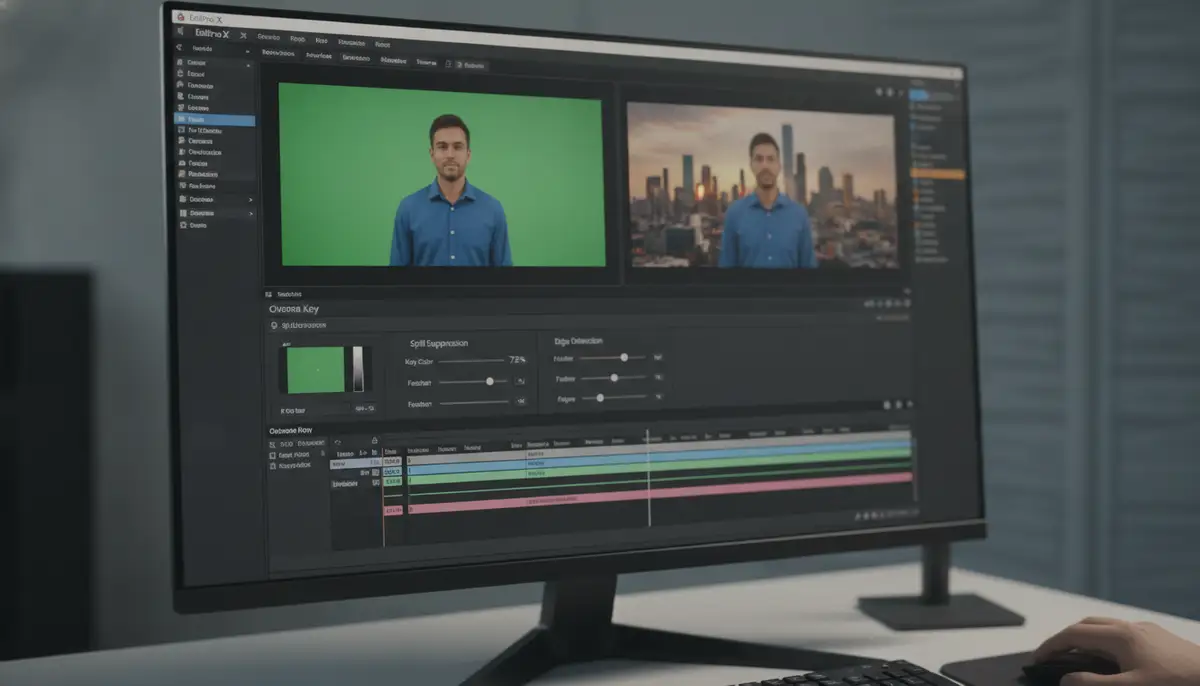
Most editing software has a dedicated chroma key effect or plugin. Here's a general workflow:
- Apply the Keyer: Drag the chroma key effect (e.g., 'Ultra Key' in Premiere Pro, 'Keyer' in DaVinci Resolve) onto your green screen footage.
- Select the Key Color: Use the eyedropper tool to sample the green from your chroma key background green screen. Choose a mid-tone green for the best results.
- Adjust Sensitivity/Tolerance: Start by increasing the sensitivity or tolerance until the green background disappears, leaving your subject isolated.
Your goal is to get a clean alpha channel, where your subject is completely white and the background is completely black. Any gray areas indicate semi-transparency and need refinement.
3. Spill Suppression
Even with perfect lighting, some green light can reflect onto your subject, especially around hair or edges. This is called green spill. Most keying tools include a 'spill suppression' or 'despill' control. This feature desaturates or shifts the green hues on your subject, making them appear more natural against the new background. Don't overdo it, or your subject might look desaturated.
4. Refining Edges and Garbage Matting
Even with the best key, edges might look a bit rough. Use controls like 'Choke,' 'Soften,' or 'Feather' to refine the edges of your subject. 'Choke' shrinks the key slightly, 'Soften' blurs it, and 'Feather' creates a soft transition. Additionally, use a 'garbage matte' (a mask) to cut out any parts of the chroma key background green screen that weren't covered by the keyer, such as equipment or parts of the studio visible in the frame.
Popular Software for Chroma Keying
| Software | Keying Feature | Best For |
|---|---|---|
| Adobe Premiere Pro | Ultra Key | General video editing, quick keys |
| Adobe After Effects | Keylight (1.2) | Advanced VFX, complex composites |
| DaVinci Resolve | Delta Keyer, Fusion Keyers | Color grading, professional film/VFX |
| OBS Studio | Chroma Key Filter | Live streaming, real-time effects |
| Final Cut Pro | Keyer | Apple users, fast workflow |
Advanced Techniques for a Perfect Chroma Key Background Green Screen
Once you've mastered the basics, you can explore advanced techniques to push your chroma key background green screen composites even further. These methods help you achieve truly cinematic and believable results.
1. Handling Hair and Translucent Objects
Fine details like hair, smoke, or translucent objects (e.g., glasses) are notoriously difficult to key. Advanced keyers like Keylight in After Effects or the Fusion keyers in DaVinci Resolve offer more control. They often use multiple passes or advanced algorithms to preserve these delicate details. Sometimes, a separate 'hair matte' might be needed, using a different keying approach just for those intricate areas. A perfectly lit chroma key background green screen makes this process much easier.
2. Dealing with Motion Blur
Fast-moving subjects can create motion blur, which blurs the edges between the subject and the chroma key background green screen. This blur can make keying challenging. Some advanced keyers can handle motion blur better by treating it as semi-transparent pixels. If your software struggles, you might need to manually refine the edges of motion-blurred areas or add artificial motion blur to your composite to match the subject.
3. Realistic Integration with Your New Background
A perfect key is only half the battle. Your subject must look like they truly belong in the new environment. This involves:
- Color Grading: Match the colors, contrast, and saturation of your subject to the new background. Pay attention to the mood and lighting of the background scene.
- Lighting Matching: If the background has a strong light source from the left, ensure your subject also appears lit from the left. Add artificial shadows or highlights if necessary.
- Adding Shadows: Realistic shadows ground your subject in the scene. Create a shadow layer and adjust its opacity and blur to match the lighting of the new background.
- Atmospheric Effects: Add subtle atmospheric effects like fog, dust, or lens flares to further blend your subject into the virtual environment. This is especially effective when using a chroma key background green screen for fantasy or sci-fi scenes.
Common Mistakes to Avoid with Your Chroma Key Background Green Screen
Even experienced creators can fall victim to common pitfalls when using a chroma key background green screen. Knowing these mistakes beforehand helps you avoid them and save countless hours in post-production.
1. Uneven Lighting on the Green Screen
This is the number one culprit for bad keys. If parts of your green screen are brighter or darker than others, your software will struggle to remove the background uniformly. Always double-check your lighting with a light meter or by looking at the waveform monitor in your camera or software. A consistent chroma key background green screen is a happy chroma key background green screen.
2. Wrinkles and Imperfections
As mentioned, wrinkles create shadows and different shades of green. Always ensure your fabric is smooth and taut. If you're painting, make sure the surface is perfectly flat. Even small creases can cause headaches during keying.
3. Green Spill on the Subject
When green light reflects onto your subject, it creates a green halo or tint. This makes the subject look unnatural against a new background. Increase the distance between your subject and the chroma key background green screen. Also, use a strong backlight to help separate the subject from the background. Proper spill suppression in software is crucial, but prevention is always better.
4. Subject Wearing Green
This seems obvious, but it's a common oversight! Any green on your subject will be keyed out along with the background, creating holes in your subject. Double-check wardrobe and props. If green is unavoidable, consider using a blue screen instead.
5. Poor Camera Settings
Shooting with low bitrates, poor compression, or incorrect white balance can severely degrade the quality of your footage. This makes it harder for the software to differentiate the green. Aim for the highest quality settings your camera allows, especially regarding color sampling (4:2:2 or higher is ideal).
Creative Applications of Chroma Key Background Green Screen
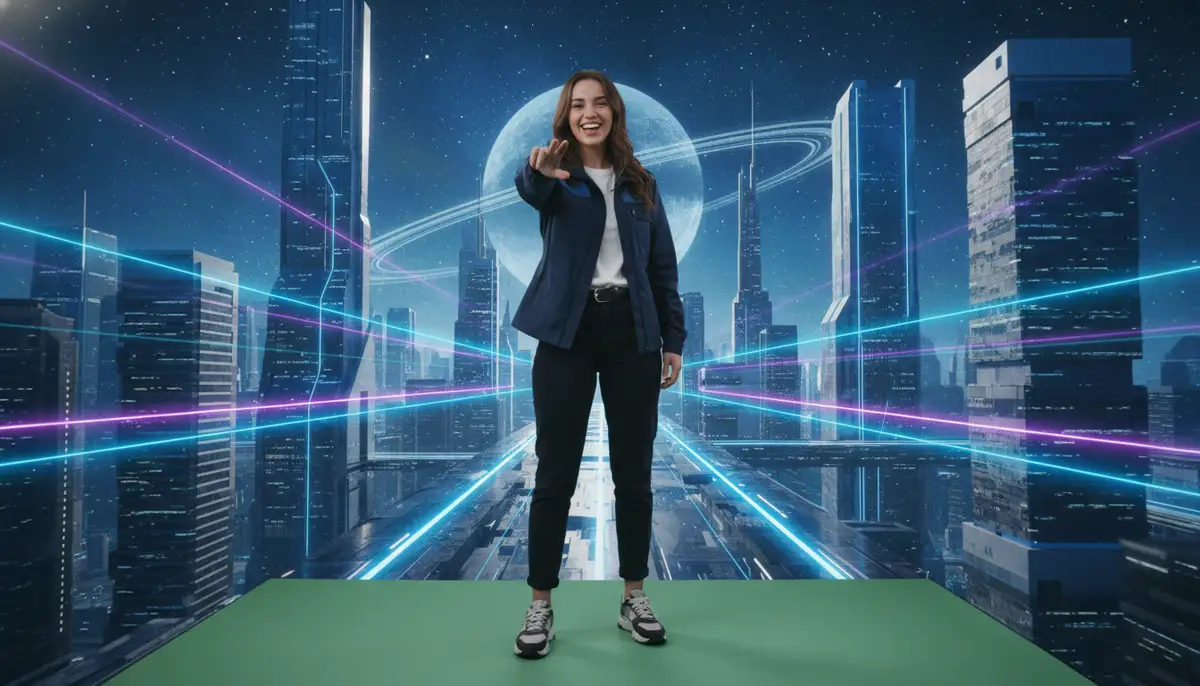
The versatility of a chroma key background green screen extends across numerous industries and creative endeavors. Its applications are limited only by your imagination, making it a powerful tool for visual innovation.
Filmmaking and Television
From epic blockbusters to daily news broadcasts, chroma keying is a staple. It allows filmmakers to create impossible worlds, add digital sets, and integrate special effects seamlessly. News channels use it for weather maps and virtual studios, providing dynamic visual information to viewers. The chroma key background green screen is the unseen hero behind countless visual spectacles.
YouTube and Live Streaming
Content creators leverage green screens to enhance their productions. Streamers can place themselves into game worlds or professional-looking virtual studios. YouTubers can create elaborate skits, travel vlogs (without leaving home), or educational content with dynamic backdrops. A simple chroma key background green screen elevates production value significantly.
Many creators also use green screens to customize their digital spaces, much like how people personalize their devices with cute wallpaper for desktop background or even specific fall desktop background images. The principles of creating an appealing visual environment apply universally, whether it's for your video content or your personal screen setup. Speaking of screen setups, you might find inspiration for your own digital workspace in this video:
. It shows how even personal screen customization can be a form of creative expression.Virtual Events and Presentations
With the rise of virtual and hybrid events, green screens enable presenters to appear in front of custom branded backgrounds, interactive graphs, or even virtual auditoriums. This creates a much more engaging and professional experience than a static webcam view. A well-executed chroma key background green screen can make a virtual presentation feel almost in-person.
Educational Content
Educators can use green screens to create immersive learning experiences. Imagine a history teacher lecturing from ancient Rome or a science teacher demonstrating concepts with animated diagrams floating around them. This interactive approach can significantly boost student engagement. However, when creating such content, it's also important to consider the impact of screen time, especially for younger audiences. The Surgeon General's advisory on screen use harms provides valuable insights into responsible digital content consumption and creation.
Personal Projects and Mobile Wallpapers
Even for personal creative projects, a chroma key background green screen offers immense possibilities. You can create custom social media content, unique family videos, or even experiment with creating your own animated backdrops. Our business, for example, specializes in offering hundreds of live wallpapers and Ultra HD backgrounds for iPhone and Android, with new additions every week. This shows how a strong visual background, whether real or digitally created, can truly enhance any digital experience.
Chroma Key vs. AI-Based Background Removal
In 2025, technology offers alternatives to the traditional chroma key background green screen. AI-based background removal tools are becoming increasingly sophisticated. These tools use machine learning to identify and separate subjects from any background, without the need for a physical green screen. Companies like WallpapersWide, Zedge, and WallpapersCraft, while primarily known for their vast collections of static and animated wallpapers, also highlight the growing demand for dynamic and customizable digital backdrops, a space where both green screen and AI solutions play a role.
While AI solutions are convenient, they still have limitations. They often struggle with fine details like hair, motion blur, or complex transparencies. A dedicated chroma key background green screen, when properly lit and set up, still provides the most precise and high-quality separation. For professional-grade visual effects where absolute control is paramount, the green screen remains the gold standard. AI tools are excellent for quick, casual removal, but the granular control offered by chroma keying is unmatched for complex productions.
The Future of the Chroma Key Background Green Screen
The technology surrounding the chroma key background green screen continues to evolve rapidly. We are seeing advancements that make the process even more accessible and powerful.
Real-time Processing
Improvements in computing power mean real-time chroma keying is becoming more robust. This allows streamers and live broadcasters to achieve incredibly clean keys without noticeable latency. The ability to see the final composite instantly changes the workflow for live productions, making the chroma key background green screen even more integral.
AI Enhancements
While AI can replace a green screen, it can also enhance it. AI algorithms are being integrated into keying software to assist with spill suppression, edge refinement, and even automatically detecting and correcting lighting inconsistencies on the chroma key background green screen. This hybrid approach combines the precision of a physical green screen with the intelligence of AI.
Virtual Production and LED Walls
The ultimate evolution of chroma keying is virtual production, often utilizing massive LED walls. Instead of keying out a green screen, the virtual background is displayed directly on these walls. This provides realistic lighting reflections on the subject and eliminates green spill entirely. While expensive, this technology offers an even more immersive and believable composite, pushing the boundaries of what's possible beyond a traditional chroma key background green screen.
Conclusion: Your Gateway to Limitless Visuals with Chroma Key Background Green Screen
The chroma key background green screen remains an indispensable tool for anyone serious about video production and visual effects in 2025. From independent creators to major Hollywood studios, its ability to transport subjects into any imagined environment is unparalleled. By understanding the principles of proper setup, lighting, and post-production, you can unlock a world of creative possibilities.
Remember, success with a chroma key background green screen hinges on meticulous preparation and attention to detail. Invest in quality equipment, master your lighting, and learn your editing software thoroughly. The effort you put into perfecting your chroma key background green screen setup will directly translate into stunning, professional-looking results. Start experimenting today and watch your creative visions come to life. Ready to enhance your digital creations? Download now to discover more amazing visual assets.